 89cc2a6e5b
Signed-off-by: Ke Jie <chzealot@gmail.com> |
||
|---|---|---|
| .github/workflows | ||
| chatbot | ||
| client | ||
| event | ||
| example | ||
| handler | ||
| logger | ||
| payload | ||
| plugin | ||
| scripts | ||
| utils | ||
| .gitignore | ||
| LICENSE | ||
| Makefile | ||
| README.md | ||
| go.mod | ||
| go.sum | ||
README.md
DingTalk Stream Mode 介绍
Go SDK for DingTalk Stream Mode API, Compared with the webhook mode, it is easier to access the DingTalk chatbot
钉钉支持 Stream 模式接入事件推送、机器人收消息以及卡片回调,该 SDK 实现了 Stream 模式。相比 Webhook 模式,Stream 模式可以更简单的接入各类事件和回调。
快速开始
准备工作
- Go语言开发环境,https://www.go.dev/
- 钉钉开发者账号,具备创建企业内部应用的权限,详见成为钉钉开发者
快速开始指南
1、创建企业内部应用
进入钉钉开发者后台,创建企业内部应用,获取ClientID(即 AppKey)和ClientSecret( 即AppSecret)。
发布应用:在开发者后台左侧导航中,点击“版本管理与发布”,点击“确认发布”,并在接下来的可见范围设置中,选择“全部员工”,或者按需选择部分员工。
2、Stream 模式的机器人(可选)
如果不需要使用机器人功能的话,可以不用创建。
在应用管理的左侧导航中,选择“消息推送”,打开机器人能力,设置机器人基本信息。
注意:消息接收模式中,选择 “Stream 模式”
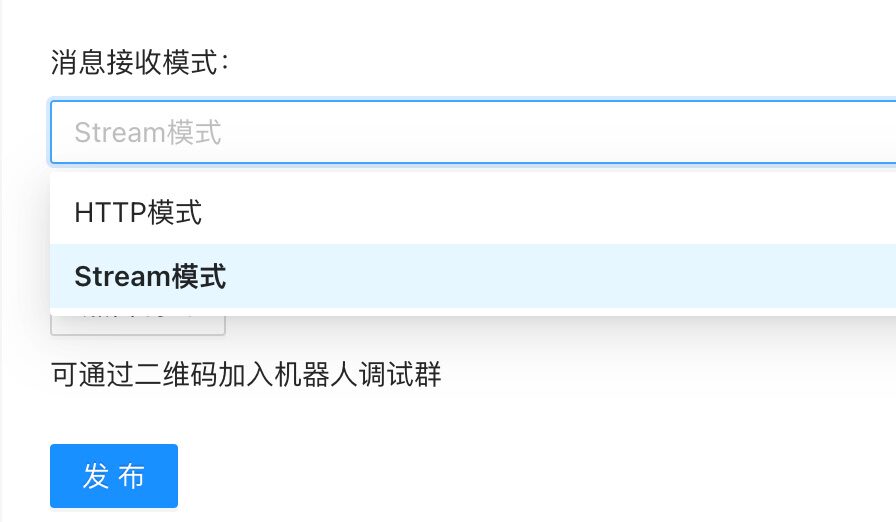
点击“点击调试”按钮,可以创建测试群进行测试。
3、启动应用
修改参数,启动应用
go run example/*.go -client_id "your-client-id" -client_secret "your-client-secret"
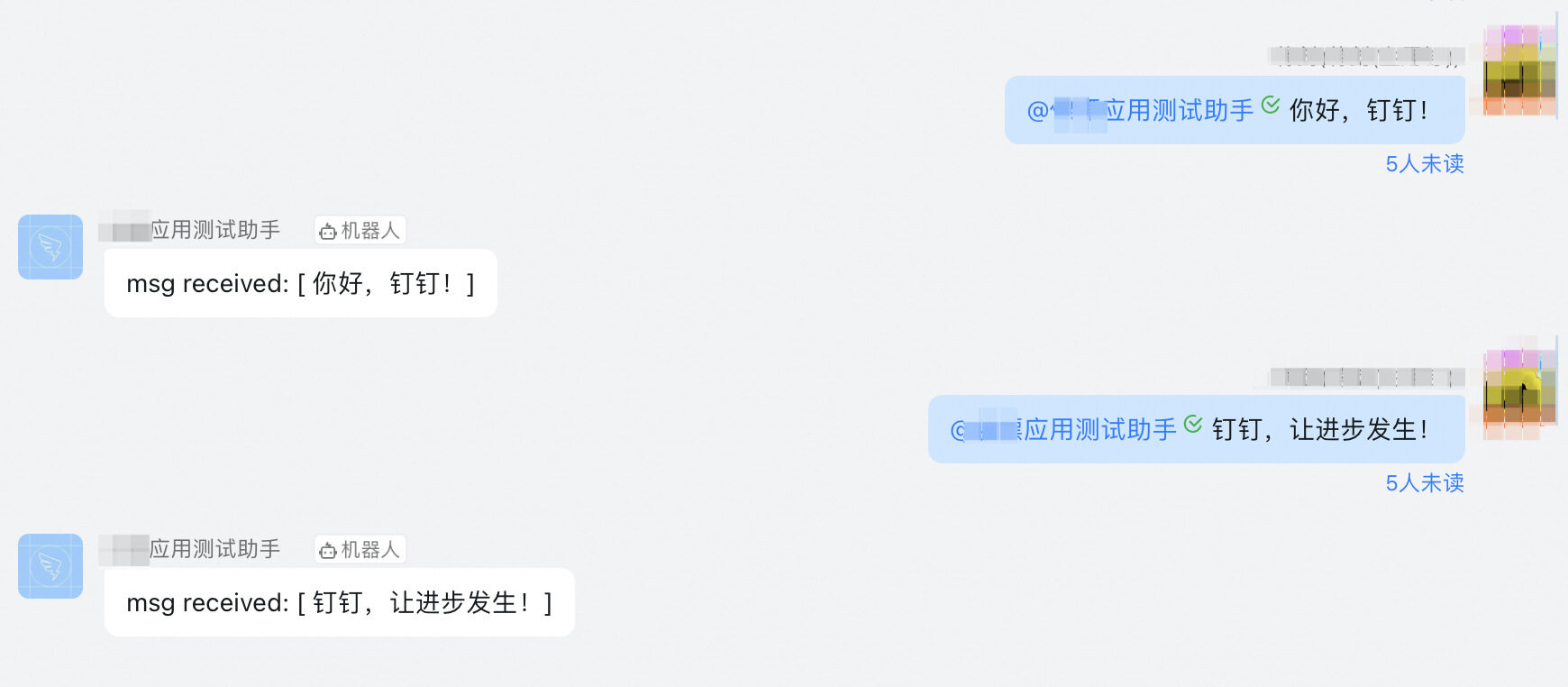
测试效果:
事件订阅切换到 Stream 模式(可选)
进入钉钉开发者后台,选择企业内部应用,在应用管理的左侧导航中,选择“事件与回调”。 “订阅管理”中,“推送方式”选项中,选择 “Stream 模式”,并保存